Block-Spam 3.5 para iPhone: filtrado de SMS, lista de spam auto-actualizable y más
Acabamos de lanzar Block-Spam 3.5.0 para iPhone — nuestra mayor actualización en iOS hasta ahora. Mantiene todo lo que ya confías (bloqueo de llamadas en el dispositivo, tu propia lista negra, reglas con comodines y la base de datos comunitaria de spam) y añade lo que más pedían los usuarios de iPhone. Esto es lo nuevo.
Lo principal: el filtrado de SMS ya funciona. Los mensajes de spam se detectan y se filtran automáticamente, así la basura queda fuera de tu vista en lugar de hacer vibrar el teléfono. Junto con el bloqueo de llamadas, cubres las dos caras del problema del spam en una sola app.
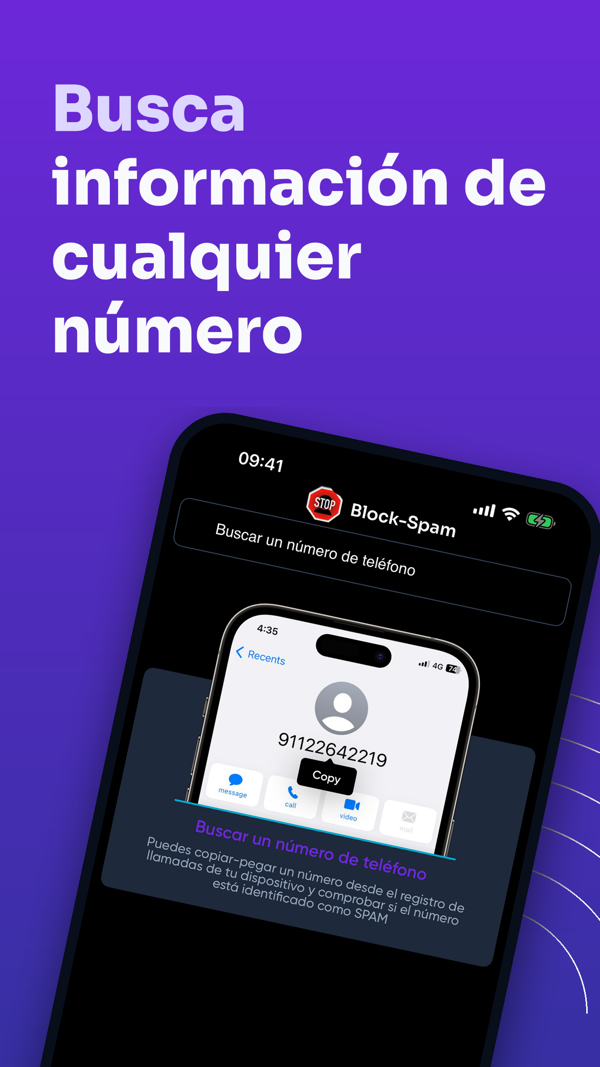
Tu protección también se mantiene al día sola. La lista comunitaria de números de spam ahora se actualiza automáticamente en segundo plano, así que los números recién reportados se bloquean sin que muevas un dedo. Además hemos rehecho la pantalla de Lookup — pega cualquier número de tu registro de llamadas y comprueba al instante si está marcado como spam — junto con las habituales mejoras de estabilidad.
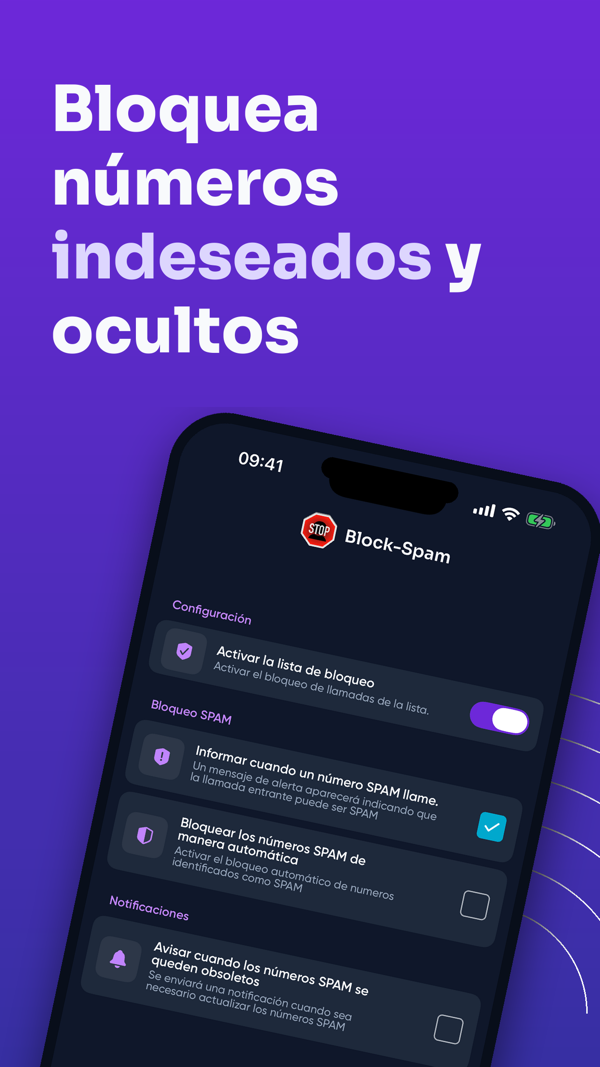
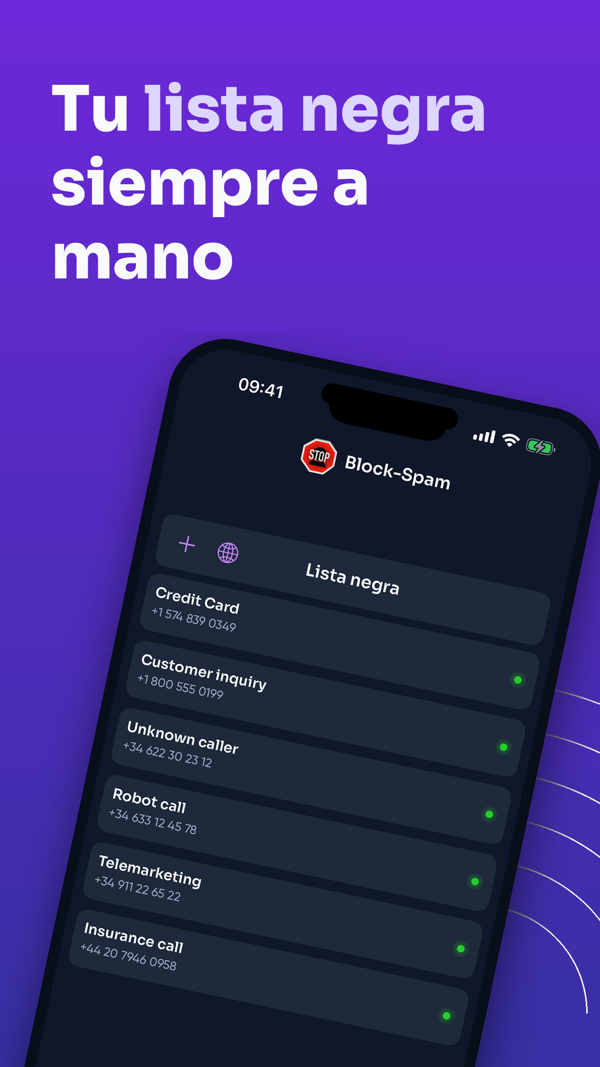
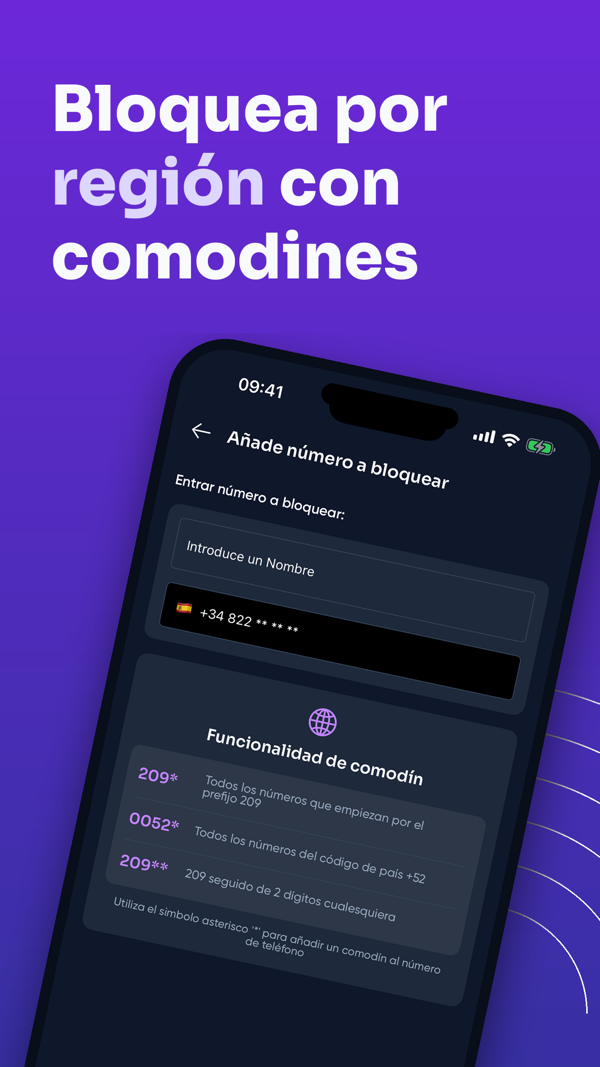
Y las herramientas que hacen distinto a Block-Spam están todas en iPhone: crea una lista negra personal, bloquea regiones enteras con patrones comodín como “209*” para frenar el neighbor-spoofing, y activa el modo lista blanca cuando quieras que solo pasen tus contactos guardados. Tú decides exactamente quién te llega.
Como siempre, la privacidad primero: todo funciona en tu dispositivo y tus contactos nunca se suben. Block-Spam 3.5.0 es gratis en la App Store (iOS 15.6 o posterior). Actualiza ahora, o descárgalo por primera vez — y recupera tu tranquilidad.
Protégete hoy
Descarga Block-Spam y bloquea llamadas spam con protección IA — gratis para iOS y Android.